Your computers,
in your pocket.
The real screen of your Mac, Windows PC or Linux machine, and a terminal that keeps running when you lock your phone. Side by side, with your coding agents one notification away.
Android today: the terminal with held sessions, files and port forwarding. The computer screen, agent approvals and Reach from anywhere are in the iPhone app. Free to start; Pro is optional.
- Mac macOS
- Windows 10 and 11
- Linux desktops and servers
- From iPhone and Android
The real screen, right next to the terminal.
Open your computer's desktop on your phone and keep a terminal beside it. Drag the divider to give either one more room.
- Mac uses the Screen Sharing built into macOS.
- Windows and Linux get Holdwire's own small screen helper with one tap. A Linux server without a desktop gets a private one that exists only while you look at it.
- Touch and trackpad modes, a keyboard with Command, Option and Control, and the clipboard in both directions.
iPhone Free includes the screen of one computer; Pro opens all of them. The person at the computer is told the screen is being viewed.
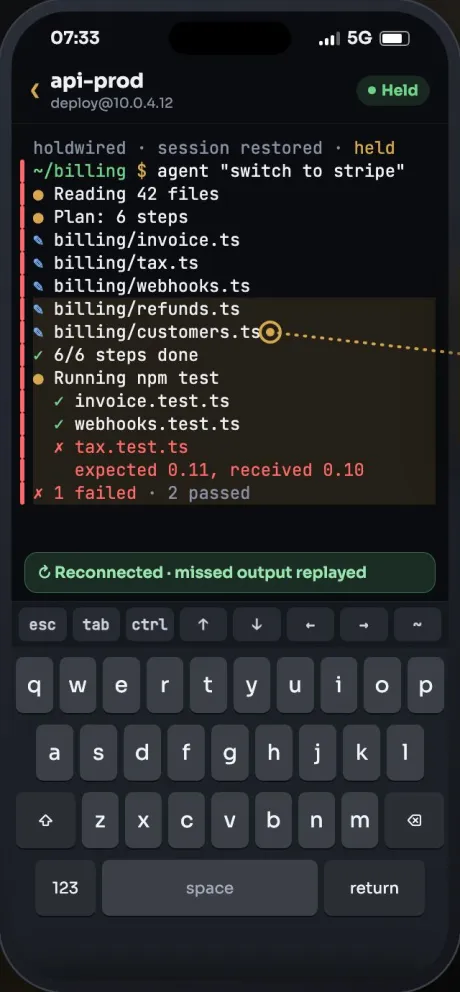
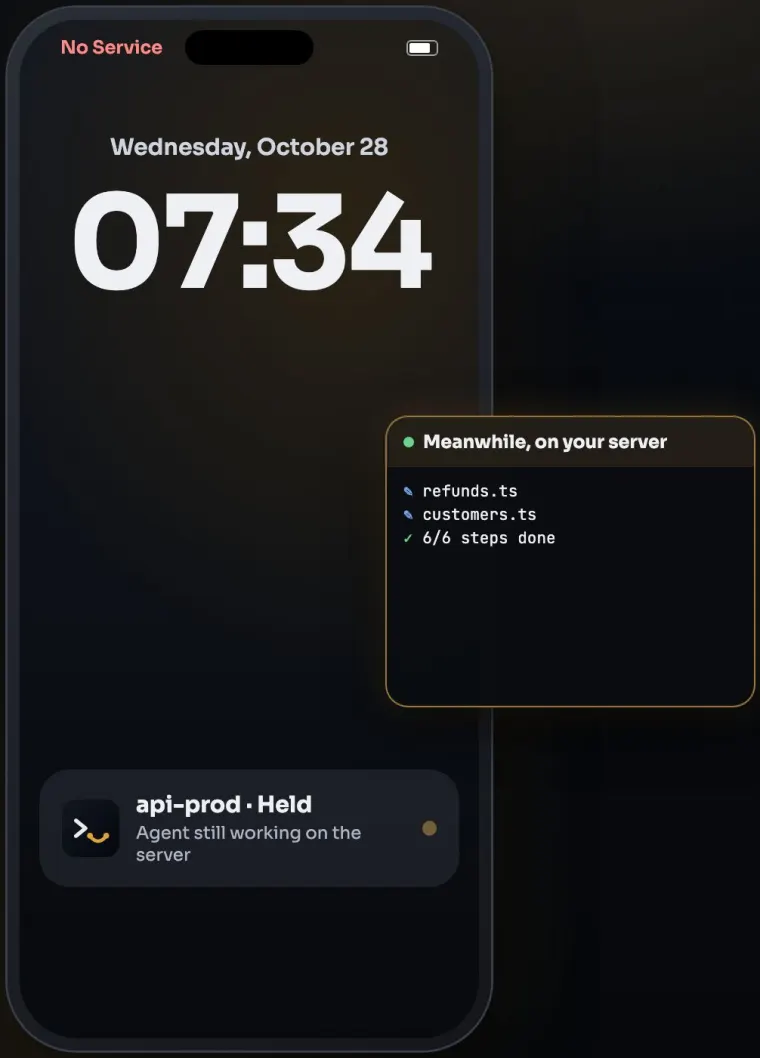
Lock your phone. Your shell keeps going.
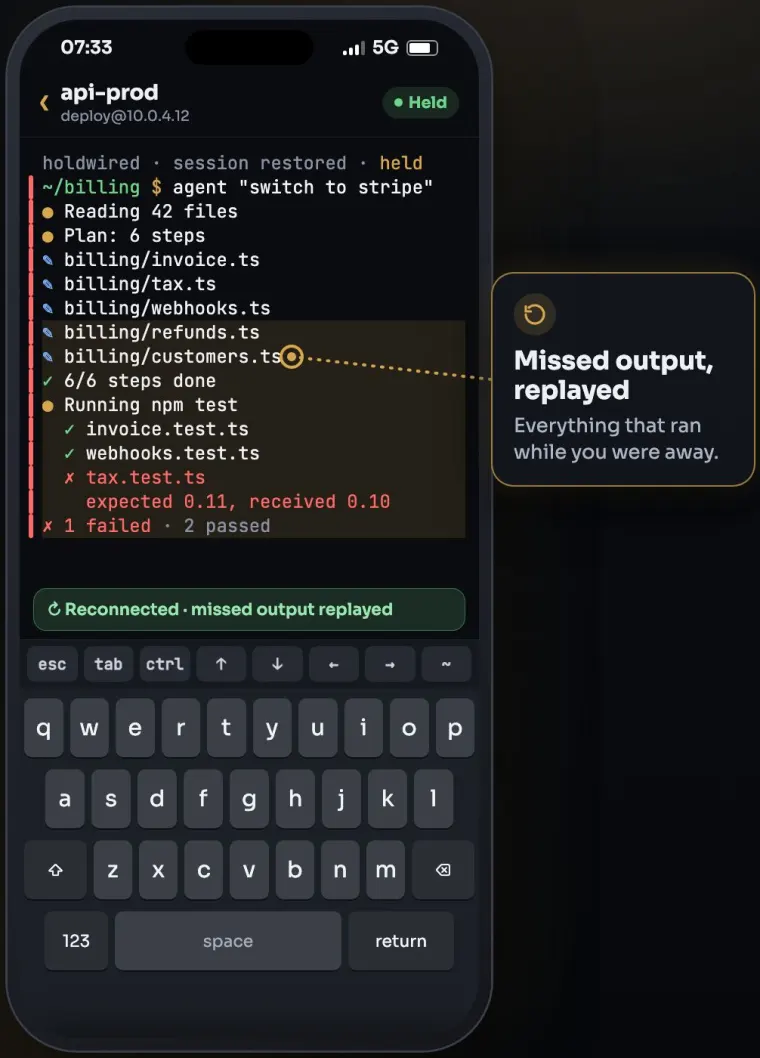
Your shell runs on the computer inside holdwired, a small session keeper Holdwire puts in your home folder. Lock the phone, switch from Wi-Fi to mobile data or close the app: the work carries on, and when you return Holdwire shows what you missed.
- The latest 1 MB of output per session is replayed when you reconnect.
- No root, no open ports. It runs as your user over the SSH login you already have.
- Several named sessions per computer, and a switcher to move between them.
iPhone Android A session ends if the computer restarts or the helper is stopped. Where the helper can't be installed, Holdwire uses plain SSH and says so. Free keeps sessions on one computer; Pro on all.
Your coding agents, under your thumb.
Start Claude Code, Codex or any other terminal agent in a held session, then walk away. When it stops to ask for permission, approve or deny from the Lock Screen after Face ID.
- Holdwire answers only the prompt that is waiting, nothing else.
- Alerts come from the terminal bell and standard notification codes, so they work with any program that uses them.
- Lock Screen alerts are optional and off by default. The relay that carries them sees an encrypted ping, never your terminal.
iPhone Agent approvals are included in Free.
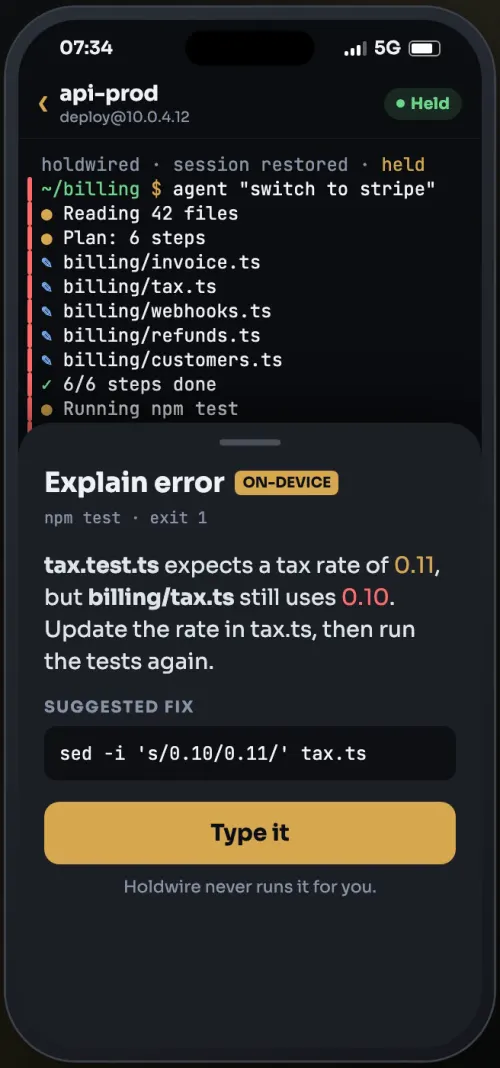
A failed command, explained.
When a command fails, Holdwire explains what went wrong and types a fix for you to check. It never presses Return; you decide.
- Runs on Apple's on-device model on iPhones that support it, or on your own model server.
- Nothing goes to us.
iPhone Pro
Reach from anywhere Pro
Away from home, your computer keeps one outgoing link to our relay and your phone connects through it. Nothing changes on your router, and the relay can't read the connection.
Files
Send files from your phone to the computer's Downloads folder, and browse its folders over SFTP.
Port forwarding
Forward a port of your computer to your phone, and open your dev server's page in the browser.
Wake-on-LAN
Wake a sleeping computer through another of your computers that is always on. iPhone
External monitor Pro
Show the computer's screen on a monitor or TV and use your phone as the trackpad. iPhone
Bring your config
Import your ~/.ssh/config or a list of hosts in one step. Only addresses come in, never keys or passwords. Jump hosts included.
Open it.
Connect.
Sign up.
There is no Holdwire account. No email, no password to forget, no login screen. Your computers, keys and sessions are yours, so they stay with you.
- Sync through your own iCloudOn iPhone, your list of computers syncs through your iCloud, end-to-end encrypted. Keys, passwords and output never sync.
- None of your data on our serversYour computers, keys, terminal and screen never reach us. The only thing we keep is a push token if you turn on Lock Screen alerts, until you turn them off.
- No trackingNo analytics, no ads and no third-party SDKs in the app, and no trackers on this site.
Straight from your phone to your computer.
Holdwire connects over the SSH login you already have. No screen-sharing server to run, no port to open on your router, no middleman reading along.
Keys that never leave the device
Create a key in the iPhone's Secure Enclave (on Android, a key held in the Android Keystore) and install it on a computer with one tap. Keys and passwords are never sent to us and never sync.
A helper you can read about
holdwired runs as your user, opens no port, makes no outgoing connection unless you turn on alerts or Reach, and sends no telemetry. What runs on your computer.
The relay can't read you
Reach and Lock Screen alerts are optional and off by default. The relay passes encrypted bytes it cannot read. For Reach it keeps nothing on disk about you; for alerts, only a push token until you turn them off.
Locked when you want it
An optional Face ID lock keeps Holdwire closed when you hand someone your phone. Agent approvals always ask for Face ID first.
Three steps, no installer.
Nothing to download on your computer. Holdwire brings its helper over SSH the first time you connect.
Turn on SSH on your computer
Mac: Remote Login in System Settings. Windows: the OpenSSH Server feature. Linux:
openssh-server. Step-by-step setup.Add it in Holdwire
Tap “Add your computer”, choose Mac, Windows or Linux and enter its address, or import your
~/.ssh/config. Install your key with one tap.Connect and keep it
Holdwire offers to put
holdwiredin~/.holdwire. From then on, sessions hold, and on iPhone the screen sits beside the terminal.
Free to use. Pro when you need more.
Every core tool is in Free. Pro opens every computer's screen and takes your sessions everywhere.
Free
Everything you need for one computer, and the terminal for all of them.
No trial, no time limit.
- Terminal on all your computers and servers
- The screen of one computer, with every screen tool
- Files and port forwarding
- Agent approvals
- Sessions kept running on one computer
Pro 1 month free
For people who live on more than one machine.
Rp30.000 a month in Indonesia. New subscribers start with a 1-month free trial.
About $1.25 a month. Rp249.000 a year in Indonesia.
- Everything in Free
- The screens of all your computers
- Reach from anywhere
- External monitor
- Sessions kept running on every computer
- The assistant that explains failed commands
Prices in your currency are shown in the app and can differ by country and store. Pro is an auto-renewing subscription, charged to your Apple Account or Google Play account; cancel at least 24 hours before the period ends to stop renewal. Purchases are tied to the store you bought from. Some Pro features are iPhone only today. See the Terms of Use.
Questions, answered.
Do I need an account?
No. There is no Holdwire account, no sign-in and no email. Open the app and add your computer. On iPhone, your computer list can sync through your own iCloud, end-to-end encrypted.
Is Holdwire on iPhone?
The iPhone app is not on the App Store yet. The Android app is on Google Play now. This page will link the App Store once the iPhone app is available.
What can the Android app do today?
The terminal on all your computers and servers, sessions that keep running with the helper, files over SFTP, port forwarding, keys protected by the Android Keystore, and importing your ~/.ssh/config. The computer screen, agent approvals, Reach from anywhere and the external monitor are in the iPhone app.
Which computers work?
Mac; Windows 10 and 11 with OpenSSH Server; and Linux desktops and servers. Routers and other hosts where the helper can't run still connect with plain SSH, labelled as such. Use Holdwire only with computers you own or may access.
What does Holdwire install on my computer?
The session keeper holdwired, and on Windows or Linux the screen helper holdwire-screen if you open the screen. Both live in ~/.holdwire in your home folder and run as you: no root or administrator rights, no open ports. Choose “Remove Holdwire from this server” in the app to take it all away. Full details.
Will my session really survive?
On computers with the helper, yes: locking the phone, switching networks or closing the app doesn't end it, and the latest 1 MB of output is replayed. A session ends if the computer restarts, if the helper is stopped, or after 30 days with nothing connected.
How do agent approvals work?
When an agent in your terminal asks for permission, Holdwire shows Approve and Deny. After Face ID, it answers only the prompt that is waiting. Lock Screen alerts while the app is closed are optional and pass through our relay as an encrypted ping. iPhone only.
Can you see my screen or my terminal?
No. Your phone connects straight to your computer inside an encrypted SSH connection. With Reach on, the relay passes bytes it cannot read. We never receive, record or store your screen or sessions. Privacy Policy.
How do the free trial and cancelling work?
New Pro subscribers on the monthly plan get one month free. You can cancel in your App Store or Google Play subscriptions at least 24 hours before the period ends. A purchase on one store doesn't unlock Pro on the other.
How do I get help?
Write to support@jijilabsdigital.com; we read every message. Never send private keys or passwords. Setup answers are on the Support page.
What we're building
Planned, not in the app yet. No dates until it ships.
- DeskYour computer's local web page and a notes pane, side by side with the terminal.
- Pair with a QR codeAdd a computer by scanning a code on its screen, no address or password to type.
- Agent cockpitWhat each agent on each computer is doing, on the Lock Screen and Apple Watch.
- One-click Windows setupGet a Windows PC ready without turning on OpenSSH by hand.

Developer work, from anywhere.
Your own computers, a terminal that holds, and your agents in reach. No account.